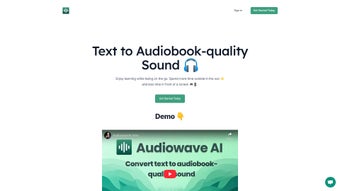

Download AudioWaveAI – AI Text‑to‑Speech, Audiobook Converter, Free Online Tool
AudioWaveAI is an innovative, AI‑powered web application that transforms written text into high‑quality, audiobook‑style audio. Designed for writers, educators, marketers, and anyone who wants to consume content hands‑free, the platform delivers natural‑sounding voices that rival professional narration. Beyond simple text‑to‑speech, AudioWaveAI equips businesses with analytical tools that turn market research and customer feedback into actionable insights, all while offering a responsive mobile web experience. Whether you’re on a desktop, laptop, tablet, or smartphone, AudioWaveAI makes it effortless to listen, learn, and share.
What Is AudioWaveAI and Why It Matters
In today’s fast‑paced digital environment, the ability to convert text into audio on demand is no longer a luxury—it’s a necessity. AudioWaveAI answers that need by combining cutting‑edge neural voice synthesis with a user‑friendly interface that requires no technical background. Unlike legacy text‑to‑speech engines that produce robotic monotones, AudioWaveAI leverages deep‑learning models trained on thousands of hours of human narration, resulting in fluid intonation, appropriate pauses, and expressive delivery. The platform also supports real‑time adjustments, allowing users to tweak speed, pitch, and emphasis on the fly, which makes it ideal for both casual listeners and professional voice‑over artists.
The platform’s core value proposition lies in its dual focus on accessibility and insight. For students and lifelong learners, the tool turns articles, e‑books, and research papers into portable audio files, allowing study sessions on commutes, gym workouts, or while performing chores. For businesses, the integrated analytics module can ingest large volumes of textual data—such as survey responses or social‑media comments—and output spoken summaries that highlight trends, sentiment shifts, and key recommendations. This blend of content consumption and data interpretation positions AudioWaveAI as a versatile solution in the AI audio category, bridging the gap between simple narration and strategic data storytelling.
Security and privacy are baked into the service. All uploads are encrypted in transit, and the platform adheres to GDPR‑compliant data handling practices, ensuring that sensitive information remains protected. Moreover, the web‑based architecture eliminates the need for costly installations or license management, delivering a free, instantly accessible experience that scales with user demand. By offering a secure, zero‑install solution, AudioWaveAI helps organizations meet compliance standards while providing a frictionless experience for end‑users across the globe.
Key Features That Set AudioWaveAI Apart
- Natural‑Sounding Voice Engine: Powered by state‑of‑the‑art neural TTS models, delivering human‑like cadence and emotion.
- Multi‑Language Support: Over 30 languages and regional accents, enabling global reach.
- Custom Voice Profiles: Users can fine‑tune pitch, speed, and emphasis to match brand tone.
- Batch Processing: Upload multiple documents at once and receive a zip of synchronized audio files.
- Integrated Analytics Dashboard: Transform raw textual data into spoken insights, complete with sentiment graphs and keyword highlights.
- Responsive Mobile Web App: Full functionality on iOS, Android, and any modern browser without additional downloads.
- Secure Cloud Storage: Encrypted storage for up to 10 GB of audio assets per user, with auto‑expire options.
- Export Flexibility: Download audio in MP3, WAV, or OGG formats, ready for podcast platforms or LMS integration.
- Continuous Updates: Weekly model refinements and new voice additions at no extra cost.
- Free Tier & Premium Plans: Generous free usage limits, with scalable pricing for enterprises.
Each feature is designed to reduce friction and maximize productivity. For example, the batch processing capability allows content teams to convert an entire series of blog posts into a cohesive audio library within minutes, freeing up editorial resources for creative tasks. Meanwhile, the analytics dashboard not only reads the data aloud but also visualizes trends, making it easier for decision‑makers to act on insights without sifting through spreadsheets. The custom voice profiles empower marketers to maintain a consistent brand voice across campaigns, while the multi‑language support ensures that international audiences receive the same high‑quality experience.
Another standout element is the seamless integration with third‑party platforms via API. Developers can embed AudioWaveAI’s TTS engine directly into learning management systems, content management platforms, or customer support portals, extending the tool’s reach beyond the web interface. This flexibility, combined with the continuous update cycle that adds new voices and improves pronunciation accuracy, ensures that AudioWaveAI stays ahead of competitors and remains a future‑proof investment for anyone looking to leverage AI‑driven audio.
Installation, Usage, and Cross‑Platform Compatibility
Because AudioWaveAI is a cloud‑based service, installation is essentially a matter of signing up and accessing the platform via a web browser. The process is straightforward and can be completed in under five minutes, even for users with limited technical expertise:
- Create an Account: Visit AudioWaveAI.com, click “Sign Up,” and verify your email address.
- Choose a Plan: Select the free tier to start or upgrade to a premium subscription for higher volume limits and advanced voice options.
- Upload Text: Drag‑and‑drop a .txt, .docx, .pdf, or .rtf file into the workspace, or copy‑paste directly into the editor.
- Configure Voice Settings: Pick a language, select a voice profile, and adjust speed or pitch sliders to suit your preference. You can also enable “expressive mode” for storytelling or “formal mode” for corporate presentations.
- Generate Audio: Click “Convert” and watch the progress bar. Once complete, preview the audio, then download or share via a secure link.
- Explore Analytics (Optional): If you uploaded market research or feedback documents, toggle to the “Insights” tab to hear summarized findings and view visual sentiment reports.
- Save Projects: All conversions are saved in your personal dashboard, allowing you to revisit, re‑download, or edit previous projects at any time.
The platform is fully compatible with major operating systems, as indicated by the Windows 10/11, macOS 12+, Linux (any modern distro), iOS 13+, Android 9+ support. Because it runs in the browser, there are no system‑specific dependencies, and the UI automatically adapts to different screen sizes using responsive design principles. Users on desktop benefit from a larger workspace for bulk uploads, while mobile users enjoy a streamlined interface that prioritizes quick listening and minimal typing.
For power users, AudioWaveAI offers API access (RESTful endpoints with JSON responses) that can be integrated into existing content management systems or learning platforms. Documentation is provided in the developer portal, and API keys can be generated from the account dashboard. This flexibility ensures that both individual creators and large enterprises can embed the text‑to‑speech functionality directly into their workflows, maintaining consistency across brand communications. Additionally, the service supports Single Sign‑On (SSO) via SAML and OAuth, making it easy for organizations to manage user access through existing identity providers.
Pros, Cons, Frequently Asked Questions, and Final Verdict
Overall Rating: 4.6/5
Before diving into the detailed pros and cons, it’s worth highlighting how AudioWaveAI fits into everyday workflows. For educators, the ability to turn lecture notes into audio can dramatically improve accessibility for students with visual impairments or learning differences. Marketers can repurpose blog posts into podcasts with a single click, expanding reach without additional production costs. Customer support teams can generate spoken summaries of lengthy ticket logs, helping agents prioritize urgent issues faster. These real‑world use cases illustrate why the platform has quickly become a go‑to solution for anyone looking to add a voice to their text.
Pros
- Extremely natural voice output that rivals professional narrators.
- Broad language and accent library for global audiences.
- Integrated analytics turn raw text into actionable spoken insights.
- Zero‑install, web‑based access works on any device.
- Generous free tier and transparent pricing for premium features.
- Secure, GDPR‑compliant handling of user data.
- API and SSO support for enterprise integration.
- Continuous weekly updates keep voices fresh and improve pronunciation.
Cons
- High‑resolution audio export (WAV) limited to premium plans.
- Batch size cap of 20 documents for free users.
- Advanced API usage requires programming knowledge.
- Limited offline capabilities; audio must be downloaded for playback without internet.
- Custom voice training (brand‑specific voices) is only available on enterprise contracts.
Frequently Asked Questions
Can I use AudioWaveAI offline?
AudioWaveAI is a cloud service, so an internet connection is required for conversion and analytics. However, once audio files are generated, they can be downloaded and played offline on any device.
What file formats are supported for input?
You can upload plain text (.txt), Microsoft Word (.docx), PDF, and rich text (.rtf) files. For bulk uploads, a zipped folder containing any of these formats is also accepted.
Is there a limit to how long a single audio file can be?
Free users can generate up to 30 minutes of continuous audio per file. Premium subscribers enjoy up to 2 hours per conversion, with no hard cap on total daily usage.
How does the analytics feature work?
When you upload textual data such as survey responses, the system runs natural‑language processing (NLP) to detect sentiment, key topics, and frequency of terms. The results are then narrated in a concise summary, accompanied by visual charts that can be downloaded as PNG or PDF.
Is my uploaded content kept private?
Yes. All files are encrypted during transfer (TLS 1.3) and at rest. AudioWaveAI does not share your data with third parties, and you can set an automatic deletion schedule for any uploaded file.
Overall, AudioWaveAI stands out as a powerful, accessible, and secure solution for anyone who wants to turn text into high‑quality audio. Its natural voice engine, multilingual capabilities, and built‑in analytics make it more than a simple text‑to‑speech tool; it becomes a strategic asset for education, content marketing, and data‑driven storytelling. While the free tier is generous enough for casual users, professionals and enterprises will benefit from the premium plan’s extended limits and API access.
Conclusion & Call to Action
If you’re looking to improve accessibility, boost content engagement, or simply enjoy your favorite articles on the go, AudioWaveAI delivers a seamless experience across Windows, macOS, Linux, iOS, and Android devices. The straightforward web interface eliminates the learning curve, and the secure cloud infrastructure assures that your intellectual property stays protected.
Ready to transform your text into audiobook‑quality audio? Click the button below to create a free account, explore the voice library, and start generating content that listeners love.



.png)



